 Relink VATS
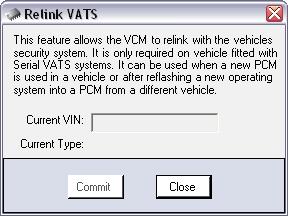
This feature allows the VCM to relink with the vehicles security
system. It is only required on vehicle fitted with Serial VATS
systems. It can be used when a new PCM is used in a vehicle or
after reflashing a new operating system into a PCM from a different
vehicle.
Procedure
To relink the VCM with the BCM please use the following steps:
- Plug the interface
cable into the vehicle OBD2 port and PC serial/USB interface. See
Connecting
to the Vehicle section for more information.
- Open VCM Editor and
select "Relink VATS" from the "Flash" menu. The Relink VATS form
will appear.
- Put the key in the
ignition and turn to the ON position (do not start the
vehicle).
- Wait 10 to 15
seconds.
- Press the Commit
button when ready.
- Wait for the
procedure to complete.
- Turn Ignition off for
30 seconds.
- Turn Ignition on for
30 seconds.
- Turn Ignition off for
30 seconds.
- Turn Ignition on for
30 seconds.
- The vehicle has now
relinked the VCM to the BCM.
Relink VATS Rules
The following checks are in place when using the Relink VATS
function:
- You can relink VATS on vehicles with serial VATS system.
- You can relink VATS on any vehicle supported by HP Tuners.
- You do not need an individual license for the vehicle.