Start scanning your vehicle with these easy steps!
Step 1. Connect your computer to the vehicle.
•Plug one end of the black OBD cable into the HP Tuners MPVI interface, and the other end into the vehicles diagnostic port.
•Plug one end of the supplied USB cable into the other side of the HP Tuners MPVI interface, and the other end into your computer.

Step 2. Start Scanning
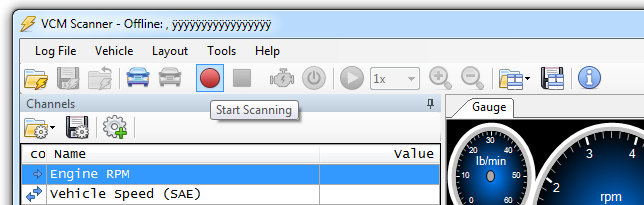
•In VCM Scanner, simply click the red record icon to "Start Scanning".
•That's it! VCM Scanner will automatically load default Channels for your vehicle!