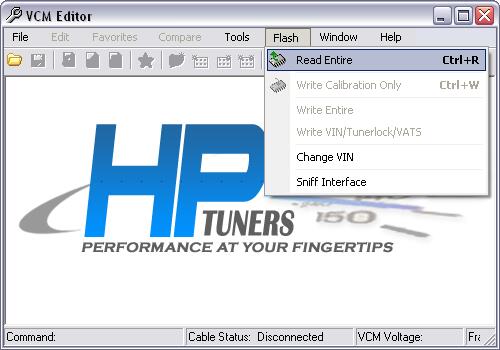
Reading the VCM
Unlike Version 1.x the 2.0 release incorporates the Flash utility
directly into the VCM Editor.
To read your vehicles VCM:
- Connect the data
cable to the OBDII port.
- Open VCM Editor.
- Choose FLASH from the
main menu bar and select Read Entire.
- Click Begin on the
Read Entire window.
- When the read is
complete, you can begin to edit the VCM's file.
- License Activation
(MPVI interface users only).
If you do not have a license to tune this vehicle, you will be
prompted at this stage.
How to license a
vehicle.
- When the read is
complete, you can begin to edit the VCM's file.